"Edit" interface
|
1 |
Program monitor (preview monitor) |
|
2 |
|
|
3 |
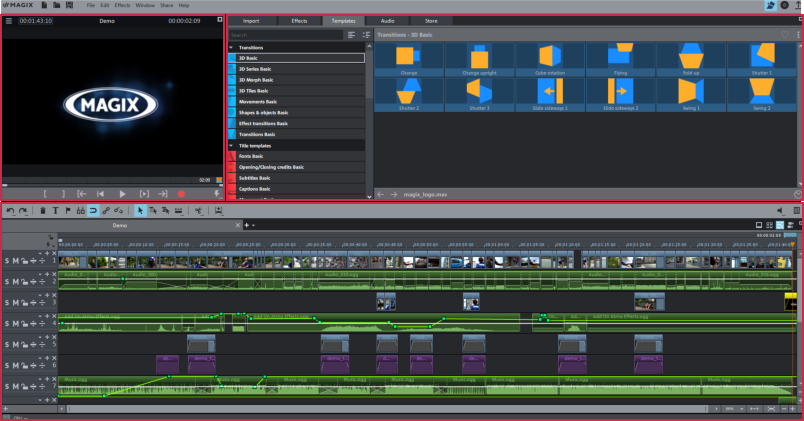
1 Program monitor
Video and image objects are displayed and files from the Media Pool can be previewed here.
2 Media Pool
Here you'll find your hard drive content and the areas for editing and designing your video's media, as well as the MAGIX Store.
Various content will be displayed depending on which area of the Media Pool you are in. You can preview templates or import media to your project. In the Effects area you can fade in the effects to create effect curves.
3 Project window
The project window is where video editing takes place. Media from the Media Pool are imported as objects into the project window and can be sorted there. There are various display modes for editing.