MAGIX Hub
The cloud-based MAGIX Hub provides a single location for all your media files. Here, you can access account information, stock content, speech services and online help.
NOTE The availability of functions depends on the existing license. You can find further information on our website.
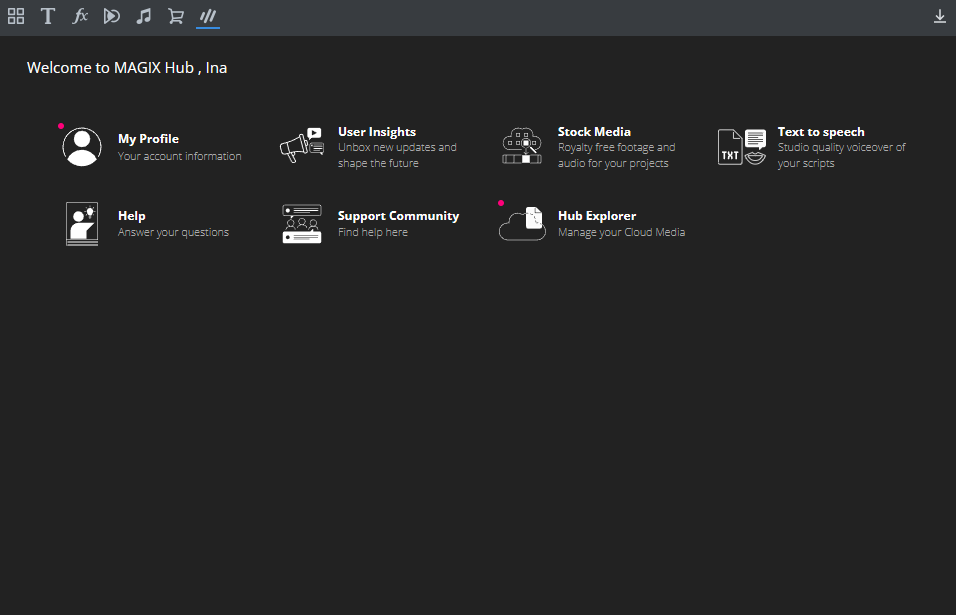
Hub functions
My profile
Manage your account information. If you have a subscription, you'll find information about how long your subscription is valid for, which stock content you can download, and how much credit you have available under "My Profile".
Stock media
Access an extensive library of audio and video files that you can use in your projects.
Speech services
Have your scripts professionally and clearly voiced to take your projects to the next level.
Hub Explorer
Manage your cloud media and have an overview of your uploaded files. Organize your media assets with other collaborators.
How do I sign up?
You can only use the functions, such as stock content or speech recognition, if you are logged in. You can only access help without logging in.
-
Click on My profiles or a function. If you are not yet logged in, you will be prompted to log in.Click on My profiles or a functionality. If you are not yet logged in, you will be prompted to log in.
-
Click on Registration.
-
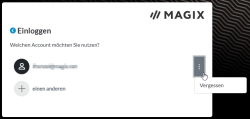
Select your email address (if you were already logged in) or click on the + sign to select another MAGIX account.
Forgot your password?
-
Click on the button with the three dots → Forgot on the login screen.
-
Please enter the email address of your MAGIX account.
-
Click on Reset password. You will receive an email to create a new password.
Have you changed your email address?
Log in to the MAGIX Service Center and change your address under: My account → User data → Change data.
Hub services
If you need additional resources for your projects, the upgrade packages offer you a flexible way to supplement your credit. With these packages, you can expand your credit in the following areas:
-
Additional characters for converting text to speech
-
More minutes for transcriptions of speech to text
-
Increased number of downloads for stock content
-
Expanded Cloud storage for your media
-
Click on My profile in the HUB window.
-
Click on Buy voucher.
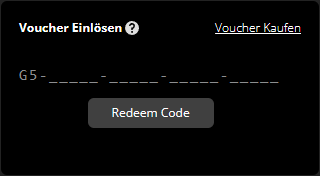
You will be redirected to an external site from MAGIX.
-
Select all the desired packs and add them to your shopping cart.
-
Click onContinue and login with your MAGIX account information.
-
Choose a payment option and click Buy now.
Subsequently, you will receive an order confirmation with a voucher code per email.
-
Go back to Photostory deluxe and once again open the HUB window → My profile.
-
Enter your voucher code in the Redeem voucher field and then click on Redeem code to redeem your code.