The User Interface
The VEGAS® Pro window is where you edit your project, and the screen is divided into several areas.
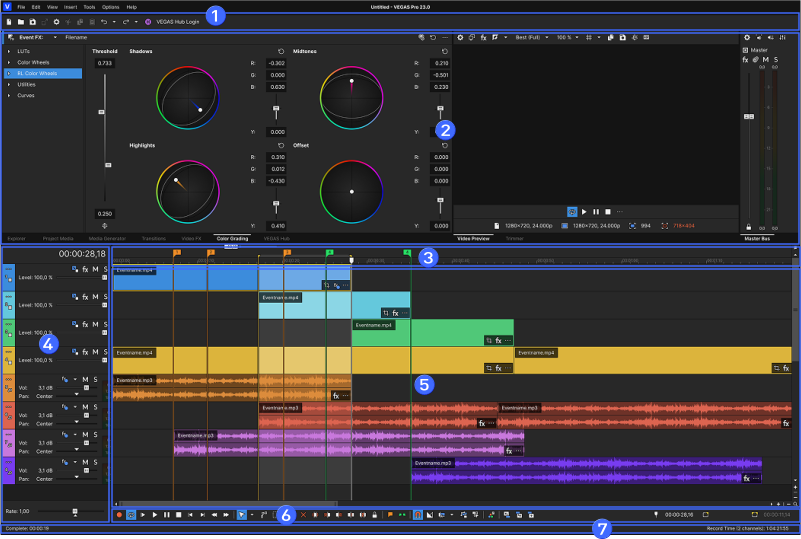
| Element | More Information | |
|---|---|---|
|
1 |
Main Toolbar | |
|
2 |
Window Docking Area | |
|
3 |
Ruler and Marker Bar | |
|
4 |
Track List | |
|
5 |
Timeline | |
|
6 |
Transport and Editing Toolbar | |
|
7 |
Status Bar | |
You can customize the VEGAS® Pro interface to suit your needs and working preferences.
 For more information, see Customizing the VEGAS Pro interface
Last modified on December 08, 2025