What's new?
Photostory deluxe 2025
-
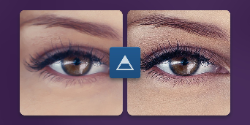
AI effect: AI Sharpening
Effortlessly enhance your videos with the new Sharpening effect. Increase the detail of the media in your project in just one click.
Simply choose from three pre-trained ONNX models and adjust the sharpness intensity with the "Intensity" slider. The slider produces instant, balanced sharpening using AI-driven guided filter technology to remove any remaining imperfections.
Take your Photostories to a new level with crisper images!
-
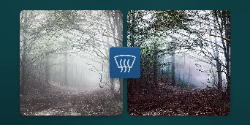
AI effect: AI Fog Removal
Remove haze and atmospheric distortion from your videos and images with this new effect. This powerful tool improves the clarity and visual appeal of your footage. The user-friendly controls allow you to precisely adjust the intensity of the effect.
Discover how artificial intelligence enhances your media's quality and experience a new dimension of clarity and visual brilliance.
-
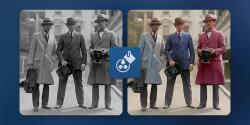
AI artistic filter: AI Colorization
This new, AI-powered artistic filter allows you to simply transform black and white media into vibrant color footage and add a nostalgic touch to projects.
-
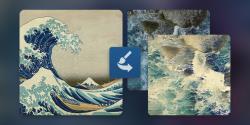
AI artistic filter: AI Style Transfer
This AI-driven artistic filter makes it possible apply the styles of famous artists such as Picasso and van Gogh in images and videos. It's intuitive and fully customizable using the effects window. Add the flair of timeless masterpieces to your media.
-
AI feature: AI Speech-to-text
This new, AI features allows you to easily transcribe the text from audio and video files. The text objects generated using this process are then inserted into the project on the corresponding track synchronized with the original object.
-
Hub explorer with Media share (beta)
In Hub explorer, you can upload media to the cloud, share it with others, and invite collaborators to offer their own media across multiple platforms.